Giving Your Water Networks a Geometry Lesson

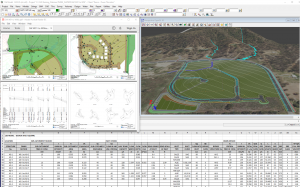
I caught up with Owen Thornton of 12d Queensland yesterday for the third episode of his Stormwater Drainage Design Fundamentals webinar series: Give Your Water Networks a Geometry Lesson.

This series covers the basic and intermediate aspects of the Three Waters modules in 12d Model 14, with special emphasis on the design of stormwater drainage. It is presented as a condensed overview of the material normally covered in the first two days of the formal Three Waters training courses (W01 to W06) offered by 12d Solutions. This material is assumed knowledge for many of the more advanced training courses available in the Three Waters suite.

A construction-ready drainage model – including catchments, pits, pipes, culverts, channels and flood extents – is created from scratch in 3D and designed for specified minor and major storm events using the Rational Method. Output plans, long-sections and calculation tables are also produced.

This webinar is Episode 3 of the series: Give Your Water Networks a Geometry Lesson. It shows the Water Network Editor being used to establish links between water networks, geometric design strings and crossing service strings. This simple little “geometry lesson” helps to fully integrate water networks into the project, and sets a large number of parameters automatically. It also spares you from a considerable amount of manual drafting, measuring and data entry, even when the designs change.

–Lisa Stewart

Creating Water Networks in 12d Model

I caught up with Owen Thornton of 12d Queensland last week to chat about creating water networks in 12d Model.

His series of training webinars – Stormwater Drainage Design Fundamentals – covers the basic and intermediate aspects of the Water modules in 12d Model 14, with special emphasis on the design of stormwater drainage. It is presented as a condensed overview of the material normally covered in the first two days of the formal 12d Water training courses (W01 to W06) offered regularly by 12d Solutions in various regions (click for more info on 12d Model Training). This material is assumed knowledge for many of the more advanced training courses available in the 12d Water suite.

A construction-ready drainage model – including catchments, pits, pipes, culverts, channels and flood extents – is created from scratch in 3D and designed for specified minor and major storm events using the Rational Method. Output plans, long-sections and calculation tables are also produced.

Last week’s webinar was Episode 2 of the series: Creating Water Networks. It showed a variety of ways to create and modify Water strings to develop your water network models. It also introduced the Water Network Editor (WNE), which is used, initially, to assign all node/link names, types and levels and to label water networks in detail. The WNE is one of the primary tools of the Three Waters modules, and its additional capabilities will be showcased in all the remaining episodes of the series.


Setting Out BIM

Paul Hardwick from 12d Queensland addressed our 2018 12d Technical Forum delegates about ‘Setting Out BIM’.

BIM: As smart as it looks?

To Paul, this topic is about 12d Model meeting the challenge…is BIM as smart as it looks?

Sure, BIM is really good for doing clash detection, and it looks very pretty…Paul said he loves playing with this functionality; it’s fun, and it’s great to be able to import data into 12d Model and do clash detection.

But is BIM as smart as it looks?

BIM for Surveyors

How much data is too much? What can a Surveyor do with all this extra information? For a group for whom gridlines are often enough, sometimes this is a tough sell.

3D objects from BIM packages are all very well, but being able to set them out is where Surveyors have often felt left out of the equation. That’s where we need to make BIM smarter.

Can you contour a trimesh? Well, yes, but why would you? What’s to be achieved? According to Paul, contours = setout strings. If you simplify the Contour Trimeshes panel in 12d Model, some useful information for Surveyors can be provided, and the benefits are actually great.

Paul took our Technical Forum delegates through some of his best tips for making BIM smarter using 12d Model and 12d Field in a short presentation you can watch today!

Traffic Light Layout and Basic Line Marking in 12d Model

I caught up with 12d Queensland’s Peter Taynton to chat about Traffic Light Layout and Basic Line Marking in 12d Model. This webinar was Part 4 in Peter’s ‘Trimesh BIM Objects’ series, which began late last year and will conclude in the next few weeks with one final episode.

Peter told us about:

  • Light placement and orientation
  • Lane, turn, continuous markings, etc.
  • Directional Arrow Indicators
  • Pavement markings (bikeway, disabled, etc.)

Catch up online today with this handy video version of the presentation!

2019 in Review…and What’s In Store for 2020!

2020 is going to be another big year for us – hear all about it from our Managing Director/CEO, Dr Lee Gregory! He also takes you through our 2019 adventures in a special presentation.


Watch this video to find out about:

  • 12d’s involvement in fighting the Australian Bushfires
  • Resellers of the Year for 12d Model and 12d Synergy
  • Updates to 12d Solutions and 12d Synergy websites
  • Industry Solutions and Training Webinars
  • NEW What’s New in 12d Model Summary Reports
  • Enhancements to 12d Model 14 and 12d View 14
  • Preparation for the release of 12d Model 15 and 12d View 15 this year (Beta release at the 12d Technical Forum in August!)
  • Enhancements to 12d Synergy 4 (including patch releases), and preparation for the release of 12d Synergy 5 this year (at the 12d Technical Forum in August!)
  • New 12d Model training course topics
  • The upcoming new 12d Model Forum
  • FME reading and writing 12dXML
  • 12d Technical Forum 2020 (2-4 August in Brisbane) – new Early Bird pricing (until 15th May)
  • 12d Innovation Awards 2020 – entries close 30th April

…and more!

Lee on 12d View 14, (mainly) for 12d Modellers

I caught up with our co-founder and Managing Director, Dr Lee Gregory, earlier this week to discuss 12d View – a free 12d Model project viewer which can look at all types of 12d Model projects.

Lee showed us how to get started, and discussed how 12d View can also view 12d Model projects with shares.

12d View can’t save information, just look at what’s there…however, it can read in and view data from a variety of sources, e.g. 12d, DWG, Genio, IFC, ADAC.

You don’t have to have an existing 12d Model project to run 12d View – it can create an empty 12d Model project for you to read data into and view. You can’t save that project but you can view everything you need to within it.

Just like 12d Model, 12d View uses and can create:

  • Plan, Section and Perspective views
  • Profiling on section views
  • Inquire options
  • Measure options.

12d View 14 Authorisation

12d View 14 can use:

an existing 12d Model 12 or 12d Model 14 authorisation

OR

an existing 12d View authorisation

OR

you can even run it unregistered.

12d View Projects Menu

  • Open recent projects
  • Open existing projects
  • Check base points
  • Project Details
  • Utilities – Project attributes
  • Settings.


In this handy presentation, Lee also runs through some 12d View settings and menus, demonstrates 12d View in action, and shows how to find it on our website.

This video is a must-see for anyone interested in using 12d View!

Trimesh Objects for Sub-Surface Utilities

I caught up with Peter Taynton of 12d Queensland to chat about trimesh objects for sub-surface utilities. A variety of shape definitions is shipped with 12d Model software. These can be applied to form trimesh features such as landscape and construction fences, safety barriers, wire ropes, guard rails, bridge profiles, road profiles, retaining walls, and service and drainage trenches.

This webinar looked at:

  • Conduits and trenching
  • Lighting and pits
  • Stormwater, Sewer and Water trenching
  • Pit and chamber creation
  • Attributes

We had huge numbers in attendance at this webinar, but we know some people missed out because of scheduling conflicts at this busy time of year, so we hope you all enjoy the video!

Sub-Surface Engineering and 12d Model

I caught up with Graham Wirth yesterday to chat about sub-surface engineering and 12d Model.

Graham’s Training Webinar presentation was based on recent talks he’s been asked by various bodies to deliver on the role of engineering surveyors in Subsurface Utility Information (SUI).

The presentation explored the current issues faced by surveyors, and innovative solutions to manage/provide fit-for-purpose SUI surveys. The full cycle of SUI surveys from detailed investigations, through Setout installation management, to As Constructed surveys, was reviewed.

Graham also chatted about some of the challenges of meeting the revised AS5488 requirements whilst ensuring that the end user of the data receives metadata and attribute information attached to the surveyed strings and points that is suitable for use. He looked at survey and asset information of value, now and into the future.

Safety Barriers

I caught up with Peter Taynton of 12d Queensland to chat about Safety Barriers and 12d Model. There are many different types of safety barriers in existence, and 12d tries very hard to stay on top of these and include as many different designs as possible in the software.

Peter is one of our foremost experts on this subject, and I was thrilled to hear his thoughts on it in a succinct and interesting presentation.

This webinar looked at:

  • W-Beam to Thrie-Beam guardrails with transitions, and approach and departure treatment
  • Bridge and Concrete barriers with approach and departure treatment
  • Wire rope barriers with approach and departure treatment
  • Construction barriers

We had a lot of engagement throughout this popular presentation, and we know many people are looking forward to the next webinar in Peter’s 12d Civil BIM Webinar Series…Sub Surface Utilities!

On The Rails with 12d

12d Model software’s vast suite of modules includes 12d Track, which was specifically designed for the survey, design and construction of light, heavy and high-speed rail projects.

12d Track allows users to calculate the centre of a track of surveyed rails, get a ‘Line of Best Fit’ to develop and alignment, calculate and plot slews, output slew diagram and reports/spreadsheets, product a rail profile, create and edit turnout sets, place and edit turnouts, and more!

Many of our users have utilised 12d Model on a variety of interesting rail projects over time (some using 12d Track, and others using other modules such as Detailed Alignment Design, 12d Field, and even the Drainage capabilities). Some of the highlights have included:

Sydney Metro Light Rail

When opened, this new light rail service will run from Circular Quay, all the way up the main street of Sydney CBD – George Street – and east into Randwick, where a major university is located.

It’s a very complex project given all the underground services involved, and all the existing infrastructure surrounding the route.

12d Model’s BIM capabilities have been invaluable to the designers on this project. The feedback from the design team was that this simply could not have been done without this functionality.

North Strathfield Rail Underpass

The team behind this project utilised 12d Model very innovatively.

The main aim of this project was to remove the need for freight trains travelling south from Newcastle to cross over onto commuter lines and causing delays.

The project involved the construction of a new rail underpass at North Strathfield in Sydney’s west. The underpass consists of two dive structures and a shallow driven N.A.T.M. type tunnel running beneath existing operational commuter and freight railway lines.

The key project requirements were to verify the thickness of the shotcrete (primary structural support for the tunnel), and to design and implement a 24/7 automated system to measure track deformations.

The NSRU team found that while there are commercially available solutions designed for tunnel surveying applications, these do not allow a thickness to be computed in the field, make accurate comparisons to points’ rough or jagged profiles, or make comparisons directly to previously surveyed points…enter 12d Model! Mick Gunter at 12d Solutions in Sydney worked closely with the NSRU team to help tailor 12d Model with 12d Field to their needs and make the project a success.

Dave Mares (Alliance Survey Manager) said, “12d Field exceeded their expectations on this project, and its features surpassed the overseas software traditionally used for this type of project”.

Gold Coast Rapid Transit

The GCRT Project comprised a 13km light rail system between the Gold Coast University Hospital on Parklands Drive in Southport and the Broadbeach South Station adjacent to Pacific Fair Shopping Centre. The Project brought together the world’s best infrastructure and urban design solutions to create a vibrant and bold future for the City.

The project involved many inter-discipline interfaces using 12d Model with 12d design/survey teams including rail alignments, road design, stormwater drainage, surveying, and utility services.

The decision was made to produce the design in 12d Model to enable all relevant disciplines to work from 12d and utilise the model sharing capability. Doing this would enable a truly coordinated approach to the multi-disciplinary design. The teams involved worked closely with 12d Solutions, who helped tailor 12d Model software to suit their complex needs.

Adelaide Hills Rail

It was necessary on this project to have plotted cross sections showing rail design formation with the track infrastructure correctly displayed. This meant having the ballast, sleepers and rail profiles shown in all cross sections, but on the correct cant at the horizontal curves.

It was also important to be able to calculate the exact ballast depths under the sleepers at both (high and low) rail locations. This value was critical as all the loads of the train were directly bearing under the rail foot, and the minimum designed depth needed to be maintained. Axle loads in the Pilbara in Western Australia on heavy haul rail are reaching up to 40-tonne limits.

Despite the many difficulties involved in such a complex project, the use of 12d Model with 12d Track on the Adelaide Hills Rail saved time and money, and assisted design processes greatly.

Port Hedland Rail

Fortescue Metals Group (FMG) undertook a $US8.4bn expansion program to triple the size of its operations and take it to 155 million tonnes of iron ore per annum by mid 2013. FMG had a triplication of their rolling stock fleet. To meet the demand and the growth in associated maintenance procedures, an expansion of their existing facilities at Rowley Yard, Port Hedland was required.

20 options were investigated using the powerful ‘element method’ tools within 12d Model’s Super Alignment, with the turnout placement function providing a quick and effective method to arrange track layouts. Storm water drainage design was developed in 12d Model. Three options were investigated, limiting pipe sizes to 900, 1200 & 1500(mm). A cost/benefit analysis was completed that compared pit and pipe quantities and thrust boring sites. With the site 1600km away from the nearest pipe supplier, this decision was critical to logistics planning. “Using 12d to design this solution saved more than $AUD2million in capital costs for the project.” The storm water drainage design was independently verified. Diversion drains were mapped in 12d Model using the HEC RAS writer. Importing the water surfaces from HEC RAS to 12d Model was used to then calculate tail water conditions.

“12d modelling isn’t just a click of a button. It often takes many attempts to find a solution to a problem. In a brown field environment, where little planning had been done in the past…issues were constantly faced. “It seemed that everything we touched was broken and every solution we tried to implement failed. This led to blowouts in the delivery, but we are very happy with the result thanks to 12d Model and its vast array of tools.” —Chris Compton, Fortescue Metals Group

Adelaide Metropolitan Rail

This important project involved the upgrade of approximately 130km of rail track, including new concrete sleepers, formation earthworks, drainage and services for the Adelaide Metropolitan rail network.

All design and construction work associated with the $200M project was undertaken by the Tracksure Joint Venture, which primarily comprised the John Holland Group, Coleman Rail and York Civil.

Quick and accurate measurement of drainage quantities was a critical issue for the Tracksure construction team, for both pricing and procurement purposes.

For this project, JBT developed a more automated process for drainage system scheduling, utilising the standard output reports from the 12d Drainage module. All subsurface drainage systems were modelled and designed in 3D, using the 12d Drainage module.

The Tracksure construction team was appreciative of the high standard of drainage scheduling information which was able to be provided during the project. The team members had been advised that their demonstrated process would be adopted on future projects as an example of high quality presentation and documentation.

Southern Sydney Freight Line

An independent 36km freight line running adjacent to the existing commuter line, known as the SSFL – Southern Sydney Freight Line. Construction of this project would enable the passenger and freight services to operate independently.

Being in the rail corridor, there was a vast array of underground services. Geo Image Services was also continuously working in very close proximity to the existing commuter line, major overhead wiring, and all existing infrastructure, Gantries, signalling equipment, etc.

By using 12d, they were able to create instant Cross/Long Sections in relation to the design and the existing commuter line throughout the project. In the field, the were able to assign attributes to the services surveyed for clarification in the office at a later date.

At the end of the first stage of the project, they were even able to create a 12d Model Visualisation using the design, As-builts, and the general topographical information collected during the three years.

Combined Services Route (CSR)

New city rail services from Glenfield to Leppington in NSW (GLRL project). The project involves the design of about 10km of rail track including earthwork, buildings, stations, roads, bridges and all the relevant power and signal services. GHD received the previously designed rail and surface tin, and was then involved in modelling the cables consisting of high-voltage cable, signal, and communication conduits running along and across the rail corridor.

The various cables were modelled as conduits arranged in combined configurations running inside the different sizes of trenches. There were several hundred pits of various sizes for cable pulling and changes in directions. There were trenches that went across and under the railway (called ULX) and also cables above the ground placed inside galvanised service troughs (GSTs).

The use of 12d Model on this project has enabled on-time completion and satisfied client requirements. Although no complicated macros were used, the application was innovative, particularly in draping 3D pits, auto updates of chainages and creating templates using Excel/UltraEdit.

Rail Revitalisation Project – South Australia

This Rail Revitalisation project in South Australia was part of the state’s $2.6 Billion upgrade to public transport services. The survey aspect of that involved over 110 kilometres of Adelaide’s metropolitan rail network.Using a GPS camera, the team added images and site photos into 12d Model in an automated process to supplement a standard survey model with information that would not be practical to key in as text.

Using the CAD Insert Image command to insert a JPEG into a 12d Model project allowed them to set a precedent for other images to follow – the first image was inserted as a sample only, with the manual process needing only to be done once.
Adding attributes to the point/inserted image allowed for attributed information either pertaining to or extracted from the image to be associated with the vertex.
Exporting the model with the sample image provided a base for the mail merge to be set up.

GPS-Photo Link camera software facilitated a CSV Export of the images with their associated coordinates and attributes.
Any attribute columns that needed to be populated manually were added, and needed to correspond with the field names in the 12d ASCII file, as created previously.

The mail merge document was created, merging the repetition of the single point, with a JPEG appended for each field photograph and creating a model of points for each.

Initially, photographs were used to remove large quantities of text from the survey model, avoiding lengthy descriptions of assets cluttering the view. The uses for this quickly grew to include:

  • Identifying signal numbers and types
  • Determining track circuit frequencies
  • General Site and track condition assessments
  • Geotechnical bore log results

The finished product allowed for a virtual site visit capturing far more than just engineering survey breaklines. 12d Model managed datasets across multiple disciplines including Design, Signalling, Geotech, Contamination, and asset management.

Auckland City Rail Link

This ambitious project set out to double the capacity of the rail network in Auckland, New Zealand. When this was in the planning phase, it was determined that the city was expecting to grow by an extra million people over the ensuing five years – this created a vital need to plan to reduce congestion. High quality public transport has been shown to be one of the most important parts of a plan such as this. Rail moves three times as many people as buses, and ten times as many as motorways!

Prior to this section of the wider project, Auckland had implemented double tracking of rail systems as well as lots of station upgrades. They needed this inner city rail link to expand the full rail network. Electric trains are an important part of this plan.

This project is critical to all public transport users (with a flow-on effect to drivers) in and around Auckland’s CBD. Two tunnels are being built – Britomart to Eden Terrace (3.5km). The safety of commuters and workers has always been paramount in this project.

The main benefit when this is finished will be to double the number of people with access to the Auckland CBD in 30min or less.

12d Model has been integral to this important project.