
Posts

Trimesh BIM Create/Edit – Part 1 (Basic)

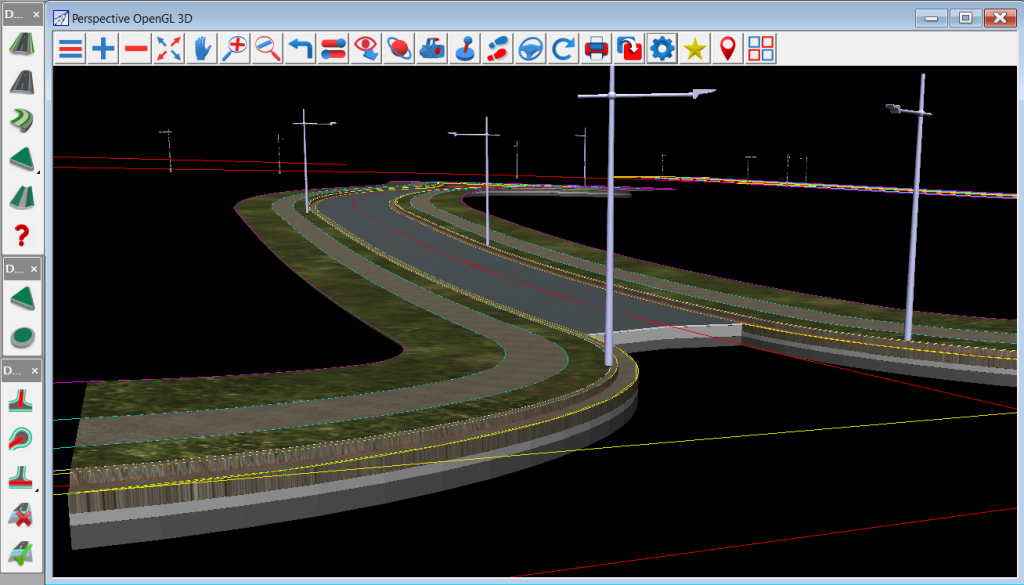
Earlier today, I caught up with 12d Queensland’s Peter Taynton for the fifth episode in his Trimesh BIM Objects series, Trimesh BIM Create/Edit – Part 1 (Basic).

This webinar looked at simple creation of everyday survey or design features:
– Construction and Landscape Fencing
– Single shaped trenching
– Structures
– Use of Profiles to define Trimesh shape
– Offsets, Spacing and Attributes

Please note this video – Episode 5 of the Trimesh BIM Objects Series – is about the creation of BIM objects; the previous four webinars in this series use the Library options. It may be worthwhile viewing Episodes 1-4 on YouTube before attending this webinar to give context.


Giving Your Water Networks a Geometry Lesson

I caught up with Owen Thornton of 12d Queensland yesterday for the third episode of his Stormwater Drainage Design Fundamentals webinar series: Give Your Water Networks a Geometry Lesson.

This series covers the basic and intermediate aspects of the Three Waters modules in 12d Model 14, with special emphasis on the design of stormwater drainage. It is presented as a condensed overview of the material normally covered in the first two days of the formal Three Waters training courses (W01 to W06) offered by 12d Solutions. This material is assumed knowledge for many of the more advanced training courses available in the Three Waters suite.

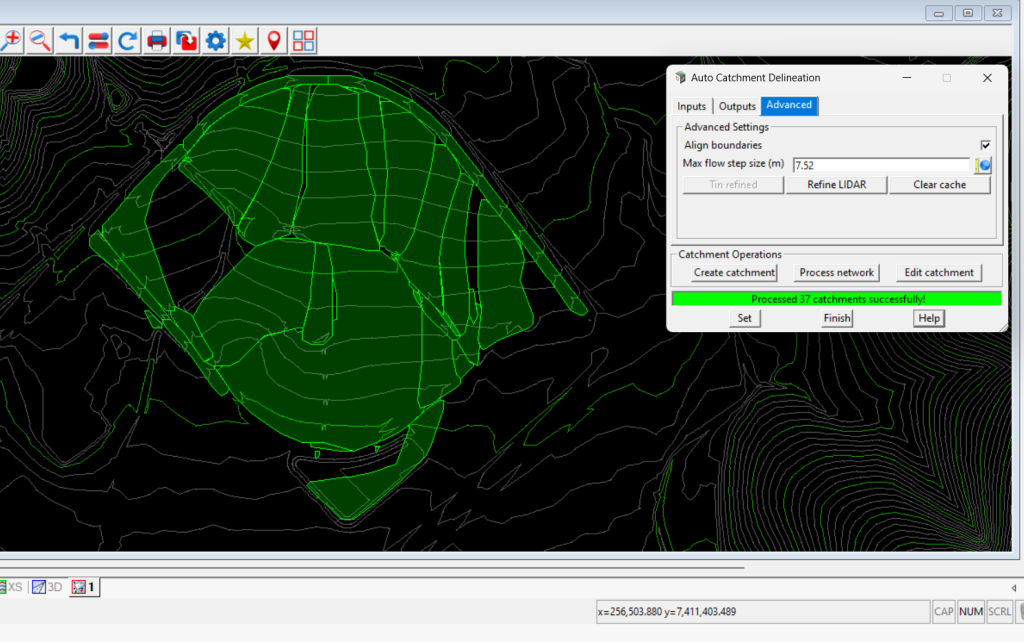
A construction-ready drainage model – including catchments, pits, pipes, culverts, channels and flood extents – is created from scratch in 3D and designed for specified minor and major storm events using the Rational Method. Output plans, long-sections and calculation tables are also produced.

This webinar is Episode 3 of the series: Give Your Water Networks a Geometry Lesson. It shows the Water Network Editor being used to establish links between water networks, geometric design strings and crossing service strings. This simple little “geometry lesson” helps to fully integrate water networks into the project, and sets a large number of parameters automatically. It also spares you from a considerable amount of manual drafting, measuring and data entry, even when the designs change.

–Lisa Stewart

Creating Water Networks in 12d Model

I caught up with Owen Thornton of 12d Queensland last week to chat about creating water networks in 12d Model.

His series of training webinars – Stormwater Drainage Design Fundamentals – covers the basic and intermediate aspects of the Water modules in 12d Model 14, with special emphasis on the design of stormwater drainage. It is presented as a condensed overview of the material normally covered in the first two days of the formal 12d Water training courses (W01 to W06) offered regularly by 12d Solutions in various regions (click for more info on 12d Model Training). This material is assumed knowledge for many of the more advanced training courses available in the 12d Water suite.

A construction-ready drainage model – including catchments, pits, pipes, culverts, channels and flood extents – is created from scratch in 3D and designed for specified minor and major storm events using the Rational Method. Output plans, long-sections and calculation tables are also produced.

Last week’s webinar was Episode 2 of the series: Creating Water Networks. It showed a variety of ways to create and modify Water strings to develop your water network models. It also introduced the Water Network Editor (WNE), which is used, initially, to assign all node/link names, types and levels and to label water networks in detail. The WNE is one of the primary tools of the Three Waters modules, and its additional capabilities will be showcased in all the remaining episodes of the series.


Setting Out BIM

Paul Hardwick from 12d Queensland addressed our 2018 12d Technical Forum delegates about ‘Setting Out BIM’.

BIM: As smart as it looks?

To Paul, this topic is about 12d Model meeting the challenge…is BIM as smart as it looks?

Sure, BIM is really good for doing clash detection, and it looks very pretty…Paul said he loves playing with this functionality; it’s fun, and it’s great to be able to import data into 12d Model and do clash detection.

But is BIM as smart as it looks?

BIM for Surveyors

How much data is too much? What can a Surveyor do with all this extra information? For a group for whom gridlines are often enough, sometimes this is a tough sell.

3D objects from BIM packages are all very well, but being able to set them out is where Surveyors have often felt left out of the equation. That’s where we need to make BIM smarter.

Can you contour a trimesh? Well, yes, but why would you? What’s to be achieved? According to Paul, contours = setout strings. If you simplify the Contour Trimeshes panel in 12d Model, some useful information for Surveyors can be provided, and the benefits are actually great.

Paul took our Technical Forum delegates through some of his best tips for making BIM smarter using 12d Model and 12d Field in a short presentation you can watch today!

Traffic Light Layout and Basic Line Marking in 12d Model

I caught up with 12d Queensland’s Peter Taynton to chat about Traffic Light Layout and Basic Line Marking in 12d Model. This webinar was Part 4 in Peter’s ‘Trimesh BIM Objects’ series, which began late last year and will conclude in the next few weeks with one final episode.

Peter told us about:

  • Light placement and orientation
  • Lane, turn, continuous markings, etc.
  • Directional Arrow Indicators
  • Pavement markings (bikeway, disabled, etc.)

Catch up online today with this handy video version of the presentation!

2019 in Review…and What’s In Store for 2020!

2020 is going to be another big year for us – hear all about it from our Managing Director/CEO, Dr Lee Gregory! He also takes you through our 2019 adventures in a special presentation.


Watch this video to find out about:

  • 12d’s involvement in fighting the Australian Bushfires
  • Resellers of the Year for 12d Model and 12d Synergy
  • Updates to 12d Solutions and 12d Synergy websites
  • Industry Solutions and Training Webinars
  • NEW What’s New in 12d Model Summary Reports
  • Enhancements to 12d Model 14 and 12d View 14
  • Preparation for the release of 12d Model 15 and 12d View 15 this year (Beta release at the 12d Technical Forum in August!)
  • Enhancements to 12d Synergy 4 (including patch releases), and preparation for the release of 12d Synergy 5 this year (at the 12d Technical Forum in August!)
  • New 12d Model training course topics
  • The upcoming new 12d Model Forum
  • FME reading and writing 12dXML
  • 12d Technical Forum 2020 (2-4 August in Brisbane) – new Early Bird pricing (until 15th May)
  • 12d Innovation Awards 2020 – entries close 30th April

…and more!

Lee on 12d View 14, (mainly) for 12d Modellers

I caught up with our co-founder and Managing Director, Dr Lee Gregory, earlier this week to discuss 12d View – a free 12d Model project viewer which can look at all types of 12d Model projects.

Lee showed us how to get started, and discussed how 12d View can also view 12d Model projects with shares.

12d View can’t save information, just look at what’s there…however, it can read in and view data from a variety of sources, e.g. 12d, DWG, Genio, IFC, ADAC.

You don’t have to have an existing 12d Model project to run 12d View – it can create an empty 12d Model project for you to read data into and view. You can’t save that project but you can view everything you need to within it.

Just like 12d Model, 12d View uses and can create:

  • Plan, Section and Perspective views
  • Profiling on section views
  • Inquire options
  • Measure options.

12d View 14 Authorisation

12d View 14 can use:

an existing 12d Model 12 or 12d Model 14 authorisation

OR

an existing 12d View authorisation

OR

you can even run it unregistered.

12d View Projects Menu

  • Open recent projects
  • Open existing projects
  • Check base points
  • Project Details
  • Utilities – Project attributes
  • Settings.


In this handy presentation, Lee also runs through some 12d View settings and menus, demonstrates 12d View in action, and shows how to find it on our website.

This video is a must-see for anyone interested in using 12d View!

Trimesh Objects for Sub-Surface Utilities

I caught up with Peter Taynton of 12d Queensland to chat about trimesh objects for sub-surface utilities. A variety of shape definitions is shipped with 12d Model software. These can be applied to form trimesh features such as landscape and construction fences, safety barriers, wire ropes, guard rails, bridge profiles, road profiles, retaining walls, and service and drainage trenches.

This webinar looked at:

  • Conduits and trenching
  • Lighting and pits
  • Stormwater, Sewer and Water trenching
  • Pit and chamber creation
  • Attributes

We had huge numbers in attendance at this webinar, but we know some people missed out because of scheduling conflicts at this busy time of year, so we hope you all enjoy the video!

Sub-Surface Engineering and 12d Model

I caught up with Graham Wirth yesterday to chat about sub-surface engineering and 12d Model.

Graham’s Training Webinar presentation was based on recent talks he’s been asked by various bodies to deliver on the role of engineering surveyors in Subsurface Utility Information (SUI).

The presentation explored the current issues faced by surveyors, and innovative solutions to manage/provide fit-for-purpose SUI surveys. The full cycle of SUI surveys from detailed investigations, through Setout installation management, to As Constructed surveys, was reviewed.

Graham also chatted about some of the challenges of meeting the revised AS5488 requirements whilst ensuring that the end user of the data receives metadata and attribute information attached to the surveyed strings and points that is suitable for use. He looked at survey and asset information of value, now and into the future.

Safety Barriers

I caught up with Peter Taynton of 12d Queensland to chat about Safety Barriers and 12d Model. There are many different types of safety barriers in existence, and 12d tries very hard to stay on top of these and include as many different designs as possible in the software.

Peter is one of our foremost experts on this subject, and I was thrilled to hear his thoughts on it in a succinct and interesting presentation.

This webinar looked at:

  • W-Beam to Thrie-Beam guardrails with transitions, and approach and departure treatment
  • Bridge and Concrete barriers with approach and departure treatment
  • Wire rope barriers with approach and departure treatment
  • Construction barriers

We had a lot of engagement throughout this popular presentation, and we know many people are looking forward to the next webinar in Peter’s 12d Civil BIM Webinar Series…Sub Surface Utilities!