History Files: Gas Plant Civil Design – Kellogg, Brown and Root

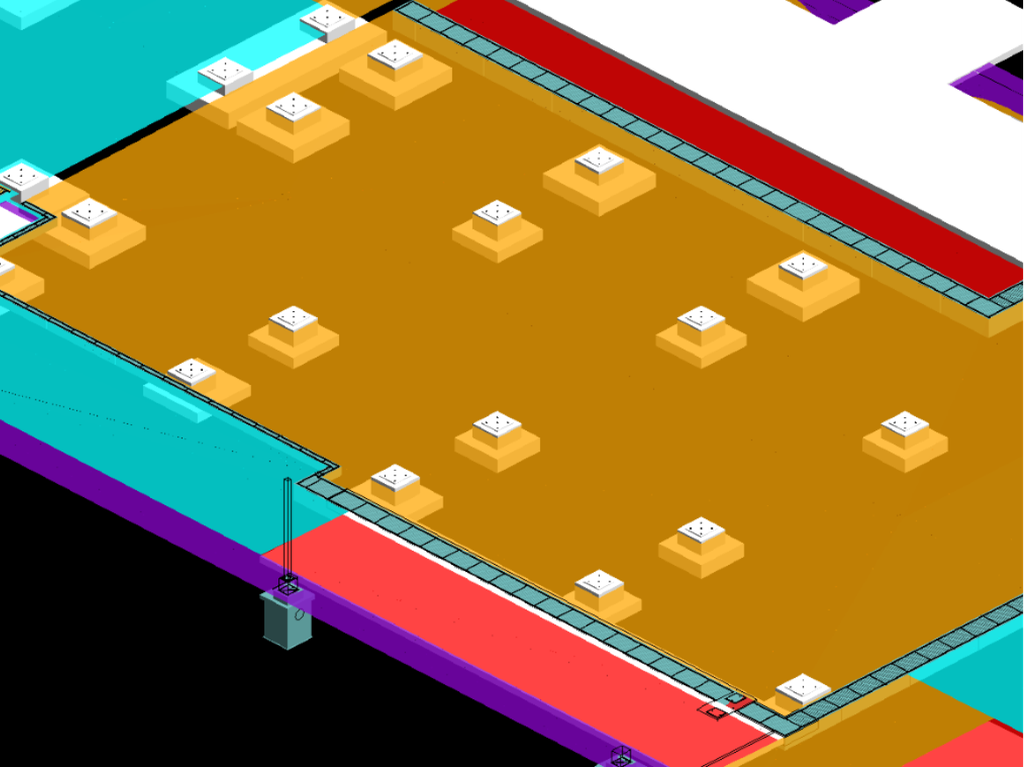
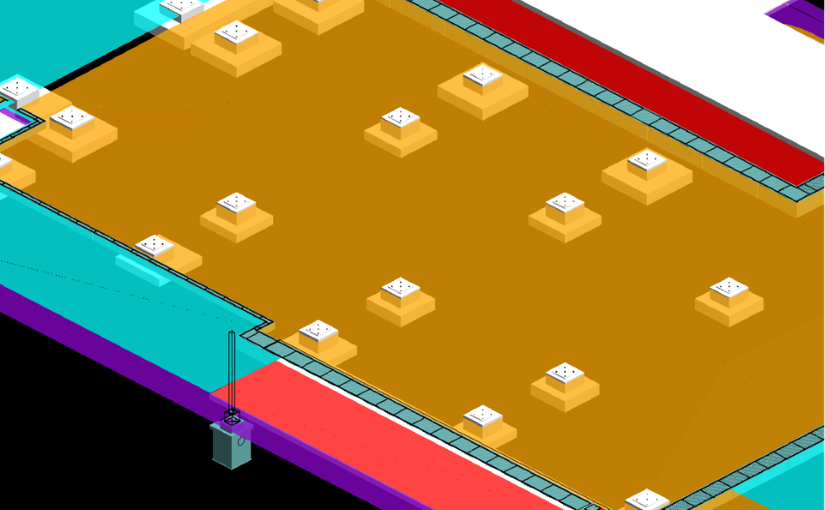
In a gas plant project, 12d Model was used to design civil engineering components for integration into PDMS (Plant Design Management System), supporting multidisciplinary design coordination.

However, PDMS did not natively support certain civil engineering elements, including road designs and TIN surfaces. Transferring civil design data required additional CAD preparation and manual editing, making updates time-consuming and increasing the potential for errors.

To address this, a custom macro was developed to automate the transfer of civil engineering elements from 12d Model to PDMS. Using configurable mapping files, the workflow could be adapted for different PDMS projects, reducing manual intervention and streamlining design updates.

The resulting workflow enabled more efficient transfer of civil design surfaces, allowing other disciplines to access updated information for design coordination and clash checking. It also preserved the flexibility of 12d Model for civil design modifications while reducing reliance on manual CAD editing.

This project demonstrates how 12d Model’s customisation and automation capabilities can improve data exchange and support multidisciplinary coordination in complex plant design environments.

Download this Case Study as a PDF HERE

The Tipster: Processing Super Alignment Styles

Producing road and rail plans requires clear, well-organised annotation without compromising the visibility of other design information.

This video demonstrates the Super Alignment Style Output – Explode and Process Labels tool in 12d Model, which converts Super Alignment labels and symbols into individually named output models for more flexible plan presentation.

Key capabilities include:

  • Individual output models for each Super Alignment string.
  • Configurable label formatting, including trailing-zero trimming and start-of-alignment display options.
  • Flexible annotation placement to improve drawing clarity and minimise conflicts with other design elements.
  • Structured text and symbol naming to support downstream drafting and layer mapping in AutoCAD workflows.

For engineers and design teams preparing road and rail documentation, this provides greater control over annotation and the final presentation of design drawings.gineering

History Files: Port Hedland Rail

Calibre Rail, now part of WSP (https://www.wsp.com/en-au), played a key role in the Rowley Yard expansion for Fortescue Metals Group in Port Hedland, Western Australia, using 12d Model to tackle complex rail, earthworks and drainage challenges while supporting a cost-effective solution that saved more than AUD $2 million in capital costs.

Fortescue Metals Group (FMG) undertook a $US8.4bn expansion program to triple the size of its operations and take it to 155 million tonnes of iron ore per annum by mid 2013. FMG had a triplication of their rolling stock fleet. To meet the demand and the growth in associated maintenance procedures, an expansion of their existing facilities at Rowley Yard, Port Hedland was required.

FMG expansion plans ceased during the global financial crisis. As a result, the study and execution of their ambitious plans ground to a halt. Calibre Rail’s role as EPCM contractor was to take these preliminary studies and upgrade the mainline, which started in late 2010. With construction commencing on the other elements of the mainline (such as the triplication of the load-out loop, a new fuel facility and duplication of the mainline), there was little time to investigate the issues associated with Rowley Yard. A few of the issues faced include: – Earthworks modelling of both sub-grade and capping layer – Drainage issues and tying into the existing network – Service clashes – Development of a staged approach to the construction of the yard to minimise disruption.

20 options were investigated using the powerful ‘element method’ tools within 12d Model’s Super Alignment, with the turnout placement function providing a quick and effective method to arrange track layouts. Storm water drainage design was developed in 12d Model. Three options were investigated, limiting pipe sizes to 900, 1200 & 1500(mm). A cost/benefit analysis was completed that compared pit and pipe quantities and thrust boring sites. With the site 1600km away from the nearest pipe supplier, this decision was critical to logistics planning. “Using 12d to design this solution saved more than $AUD2million in capital costs for the project.” The storm water drainage design was independently verified. Diversion drains were mapped in 12d Model using the HEC RAS writer. Importing the water surfaces from HEC RAS to 12d Model was used to then calculate tail water conditions.

“12d modelling isn’t just a click of a button. It often takes many attempts to find a solution to a problem. In a brown field environment, where little planning had been done in the past…issues were constantly faced. “It seemed that everything we touched was broken and every solution we tried to implement failed. This led to blowouts in the delivery, but we are very happy with the result thanks to 12d Model and its vast array of tools.”
—
Chris Compton, Fortescue Metals Group

Download this Case Study as a PDF HERE

History Files: Olympic Village London 2012 – Arup

When the deadline is the Olympic Games, there is little room for redesign, delay or coordination issues.

When London was selected to host the 2012 Olympic Games, the city had to deliver large-scale venues and infrastructure capable of supporting approximately 24,000 athletes. The Olympic Village site presented an additional challenge: it was located within an already developed urban environment, constrained by surrounding infrastructure including a high-speed rail link, while also requiring new roads, earthworks and utilities to support the Games.

For Arup, the scale and complexity of the project called for a different approach to civil design. Stakeholder feedback meant that design options would continue to evolve, while contractors were already working to demanding construction programmes. Changes therefore needed to be assessed quickly and translated into construction documentation without disrupting the wider design.

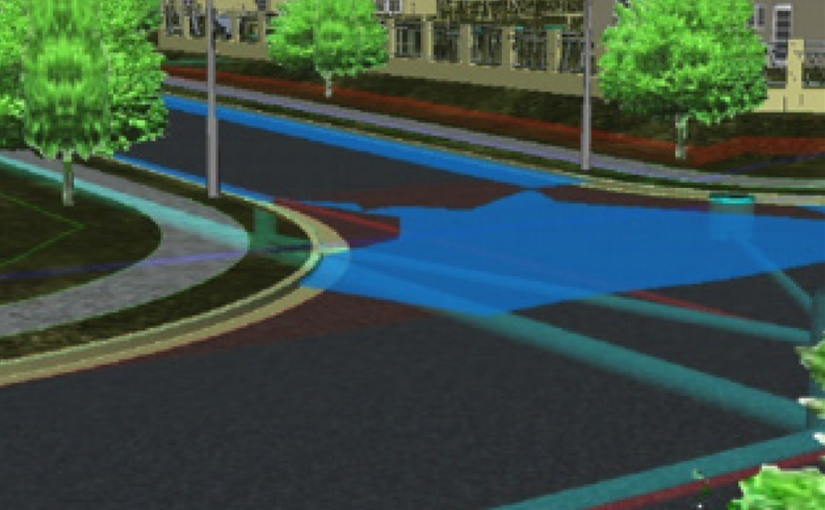
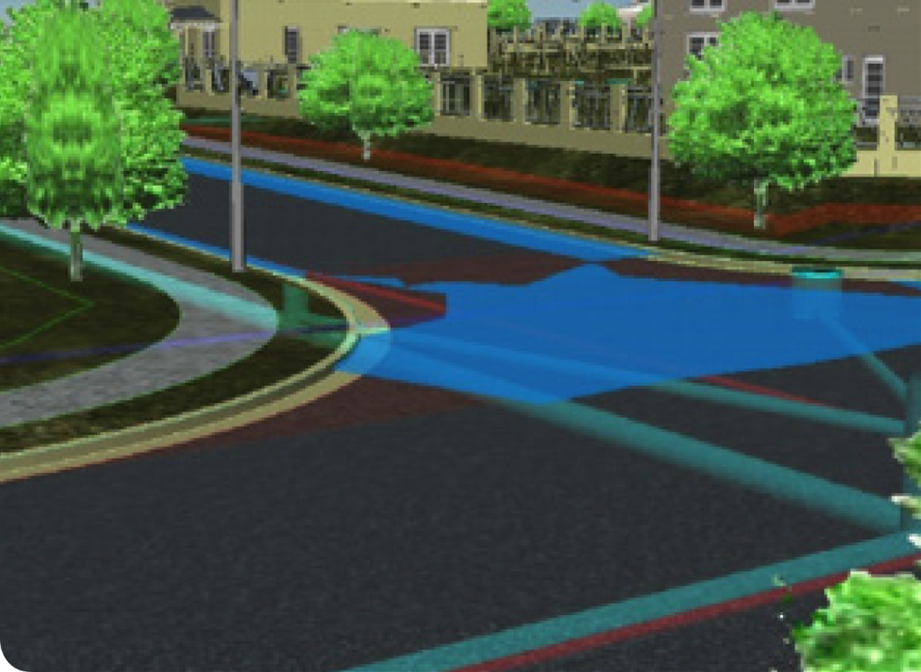
Arup implemented 12d Model to bring the civil design together in a single, connected model. Earthworks, roads and utilities were modelled within 12d Model, allowing designers working on different elements to reference shared design information and coordinate their work.

This was particularly valuable for the site’s extensive subsurface utilities. By modelling the utilities alongside the other civil elements, the team could identify potential clashes during design rather than discovering them during construction. As the design developed, 12d Model’s automated recalculation capabilities also allowed options and changes to be tested quickly, making it easier to assess their impact across the wider site.

The complete 3D model provided another important advantage. Arup and the client could review the civil design from all angles before documentation and construction, helping them assess how roads, earthworks and underground services would work together within the constrained site.

Once the design was confirmed, the model could be used to produce the documentation required by construction contractors. Automated processes and reusable standard components helped reduce manual work and accelerate the design cycle, supporting the project’s demanding programme.

The result was a more connected design process that allowed Arup to develop, coordinate, review and document the civil works within a single model, helping keep pace with one of the world’s most time-critical infrastructure projects.

As the project team noted:

“The modelling of all subsurface utilities in 12d Model was the ultimate design solution to prevent problems during the construction phase.”

The London 2012 Olympic Village is a strong example of how integrated civil modelling can help engineering teams manage complex sites, respond to changing requirements and make critical design decisions before they reach construction.

Download this Case Study as a PDF HERE

The Tipster: Getting Started with Super Alignments

Super alignments are a powerful string type in 12d Model that allows horizontal and vertical geometry to be managed independently within a single string. Unlike a standard super string, a super alignment can contain its own horizontal geometry—such as straights, curves and transitions—and vertical geometry, including grades and vertical curves. This makes super alignments particularly useful for design applications where both the plan and profile need to be controlled independently while remaining linked through chainage. In 12d Model, super alignments are commonly used for road and rail design, airport runways and taxiways, drainage channels, and other civil infrastructure projects.

One method for creating a super alignment is the IP (Intersection Point) method, which builds the horizontal alignment by establishing horizontal intersection points (IPs). The initial straights are defined through the IPs, after which curve radii and, where required, transitions or spirals can be added. The vertical component can then be developed separately using vertical intersection points (VIPs), grades and vertical curves. This approach gives designers greater flexibility when refining an alignment, including the ability to insert specific grades over a set distance, change existing grades, add vertical curves, or position IPs precisely using coordinates and CAD snaps.

Creating a super alignment in 12d Model starts from Strings > Super Alignment > Create a Super Alignment, where users can define properties such as the string name, model, colour, starting chainage, labelling style and whether the alignment should be closed. Advanced settings also allow a super alignment to be configured as a pipe or culvert, with options for its justification and size. During editing, dedicated super alignment tools can be used to add or move IPs, insert curves, extend geometry, adjust grades and refine the horizontal and vertical design. These specialised tools are important because super alignments are a unique string type and have their own editing functions.

Existing strings can also be converted into super alignments, making the workflow useful when working with survey or CAD data. Individual strings can be converted through Strings > Convert > Super Alignment, while multiple strings can be processed through Utilities > A to G > Convert > Super Alignments. When bringing CAD geometry into 12d Model, separate lines and arcs can first be joined into a single string using the Head to Tail utility before conversion. The conversion can then be performed using either the IP or Element method. Once converted, the dedicated super alignment tools can be used to apply labelling styles and further edit the alignment, providing a practical workflow for turning existing design geometry into a fully editable horizontal and vertical alignment in 12d Model.

Watch the video here:

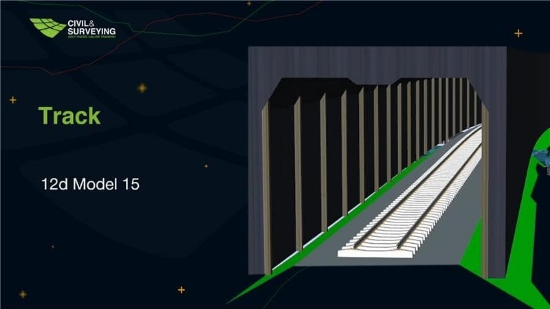
SPOT Course: 12d Track – 12d Model 15

Develop your rail track alignment and design skills with 12d Model 15 through our self-paced online training course.

Work through practical workflows covering track centreline generation, best-fit regression alignments, mainline and passing loop design, track slew assessment, chainage equalities, structural clearance, rail cant calculations, and the modelling of rail formations, turnouts, level crossings, culverts, rails, sleepers and ballast.

The course includes 4 hours 30 minutes of on-demand training across 26 tailored lessons, along with practical quizzes, a 3-month 12d Model 15 licence, lifetime access to the training content, and a Certificate of Completion upon meeting the course requirements.

Enrol in the complete course for $250 AUD + GST.

Learn at your own pace and build practical experience with rail design in 12d Model.

Find out more and enrol: 12d Model Track V15

SPOT Training: BIM – 12d Model 15

Take your 12d Model skills further with our 12d Model 15 BIM Course, designed for users who want to develop practical BIM workflows and create flexible, information-rich models that support modern project requirements.

For only $200 AUD excl. GST, you’ll get access to 6 hours and 19 minutes of self-paced video training, allowing you to work through the lessons at your own pace with structured guidance and practical exercises.

What You’ll Get

Your enrolment includes everything you need to work through the course, including:
– Certificate of Completion upon successfully completing the course
-12d Model 15 software licence and course data
– A 12d Model 15 Cloud licence provided free for three months
– 20 online video lessons
– Practical and engaging quizzes
– 12 months’ access to the SPOT video lessons

If you’re taking the course simply to practise and improve your 12d Model skills, certification is optional.

The BIM course builds on the concepts introduced in 12d Model 15 – Getting Started for Utility Modelling, particularly object creation and attribution, which form an important foundation for many BIM workflows.

Completing the Getting Started for Utility Modelling course is recommended before beginning this course. The course is available free with SPOT and is also included when registering for the BIM course.

What Will You Learn?

Throughout the course, you’ll explore a range of advanced BIM-driven workflows in 12d Model, with a strong focus on object creation, attribute management, automation and data coordination.

BIM Object Creation and Application

Learn how to create and apply a variety of BIM objects, including:

  • Fences
  • Trenching
  • Guardrails
  • Linemarking
  • Handrails
  • Traffic lights

Water Strings and Data Export

Explore water strings and their associated workflows, including:

  • Attribution
  • Exporting to IFC
  • Converting to super strings and trimeshes

Clash Detection

Develop practical skills in identifying potential conflicts within your model by:

  • Creating new clash rules
  • Running clash detection between super strings, trimeshes and TINs

Signage

Learn how to work with signage data by:

  • Creating signage from survey data
  • Creating your own signs

MetaConnex

Explore the capabilities of MetaConnex, including:

  • MetaConnex Function Calls
  • MetaConnex with Custom Attributes
  • Practical MetaConnex examples
  • Attribute validation

Pavements

The course also covers BIM-driven pavement workflows, including:

  • Attribute management
  • Pavement creation using the MTF
  • Creating pavements from TINs
  • Creating subgrade TINs from trimeshes

Flexible, Self-Paced Learning

This is a Self-Paced Online Training course, giving you the flexibility to learn when and where it suits you. With more than six hours of on-demand video content, you can pause, revisit and practise each workflow as you progress.

For the best learning experience, dual monitors are recommended—use one screen to follow the training videos and the other to complete the course exercises. Alternatively, you can use a second computer.

All you need is a reliable internet connection and access to the provided 12d Model 15 Cloud licence.

Certificate of Completion

Students who successfully complete the course can receive a Certificate of Completion. The certificate is designed to encourage students to work through the full course and does not include a grade or specify a number of credit hours that could influence employment or promotions.

If you’re completing the course purely to strengthen your 12d Model skills, you can choose to undertake the training without pursuing certification.

Start Developing Your BIM Skills

Whether you’re looking to strengthen your existing 12d Model knowledge or develop more advanced BIM workflows, this course provides practical training in creating, attributing, coordinating and managing information-rich project data.

Enroll in the complete course for only $200 AUD excl. GST and work through the training at your own pace with access to the course content for 12 months.

Enroll here today: Civil and Surveying Institute. Self-Paced: BIM – 12d Model 15[Limited Time Offer]
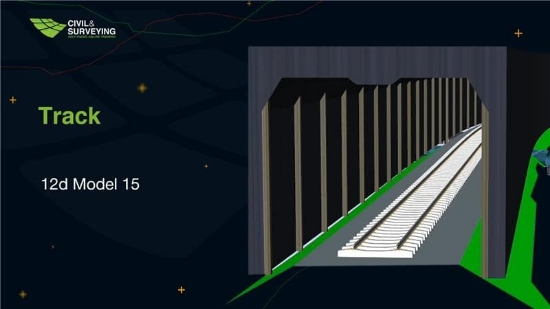
SPOT Training: 12d Track – 12d Model 15

Build practical rail design skills with 12d Model 15 through the Self-Paced 12d Track Course.

At AUD $250 (excl. GST), this course provides 4 hours and 30 minutes of on-demand training across 26 focused video lessons, giving you the flexibility to work through the material at a pace that suits you.

The training takes you through key rail design workflows in 12d Model, from track alignment and centreline generation through to mainline and passing loop design, track slew assessment, chainage equalities, structural clearances and rail cant calculations.

You’ll also develop skills in modelling a range of rail infrastructure and physical assets, including rail formations, level crossings, turnouts, culverts, rails, sleepers and ballast.

Your enrolment includes:

  • 3-month 12d Model 15 licence
  • 26 tailored video lessons
  • Practical quizzes
  • Lifetime access to course content
  • Certificate of Completion

The course is suitable for 12d Model users who want to expand their rail design capabilities, with prior knowledge of rail terminology and design helpful but not required.

Learn through practical, structured training and develop the skills to confidently apply rail design workflows in 12d Model 15.

Enrol today: https://www.civilandsurveying.com/self-paced-12d-track-12d-model-15

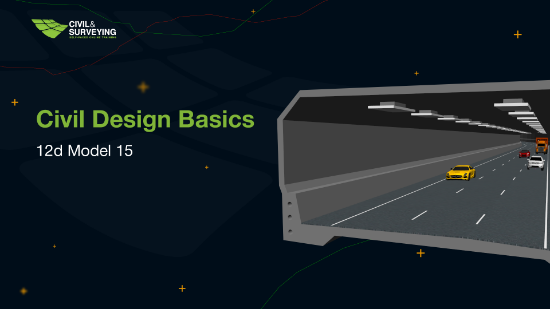
SPOT Training: Civil Design Basics – 12d Model 15

Ready to start your journey with 12d Model 15? The Self-Paced Civil Design Basics Course Bundle is the perfect starting point for new users looking to build confidence and practical skills in civil design.

For AUD $300 (excl. GST), you’ll receive two comprehensive courses:

  • 12d Model 15 Fundamentals
  • 12d Model 15 Civil Design Basics

With over 7.5 hours of on-demand training across 54 video lessons, you can learn whenever it suits you. The bundle also includes a 6-month 12d Model cloud licence, practical quizzes, a Certificate of Completion, and 12 months of access to all course videos.

Looking to strengthen your professional credentials? You can also choose to complete a proctored exam to earn a Certificate of Competency—an excellent addition to your résumé for job applications or career advancement.

Whether you’re completely new to 12d Model or looking to establish a solid foundation, this self-paced bundle teaches current best practices and practical workflows to help you work more efficiently from day one.

Start learning at your own pace and take the first step towards becoming a confident 12d Model user.

Enroll today: https://www.civilandsurveying.com/spot-civil-design-basics-v15

History Files: Bunbury Trotting Complex Upgrade – Thompson McRobert Edgeloe (TME) – now WSP

What began as a $1.36 million redevelopment became one of Australia’s most impressive harness racing facilities.

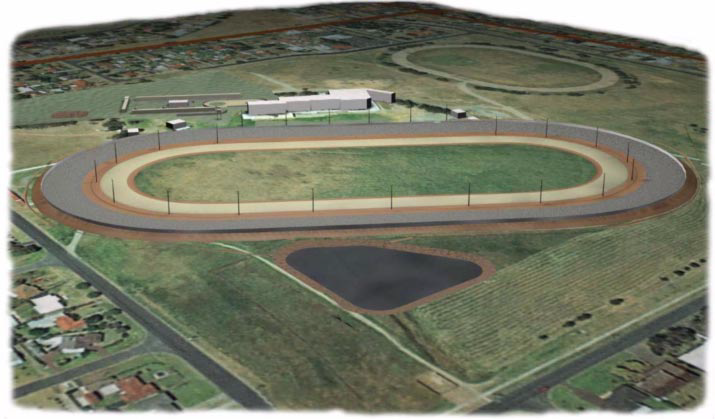
Led by Thompson McRobert Edgeloe (TME), the Bunbury Trotting Complex in Western Australia was completely reimagined—from replacing the existing 800-metre track with a new 960-metre world-class circuit to modernising the entire precinct with new stables, public viewing areas, broadcast facilities, and upgraded lighting.

Designing a track capable of delivering fast, fair racing while reducing stress on horses required extensive research and precise engineering. Every aspect of the geometry—from spiral curves to transitions—was carefully optimised to create one of the fastest harness racing tracks in Australia.

Using 12d Model, the entire project was digitally modelled, allowing the team to refine complex geometry with confidence and provide contractors with highly accurate construction data to achieve an impressive 5 mm surface tolerance. The same model was also exported into 3D visualisation software, enabling realistic renders and animations that helped communicate the final vision before construction.

The success of the Bunbury redevelopment quickly led to further opportunities, with TME commissioned to design additional harness racing facilities across Western Australia and Victoria.

Perhaps the project’s greatest endorsement came from those who raced on it. As leading Bunbury trainer Andrew DeCampo simply put it:

“It’s brilliant, mate, absolutely brilliant!”