
History Files: 12d ideal for Northala Fields

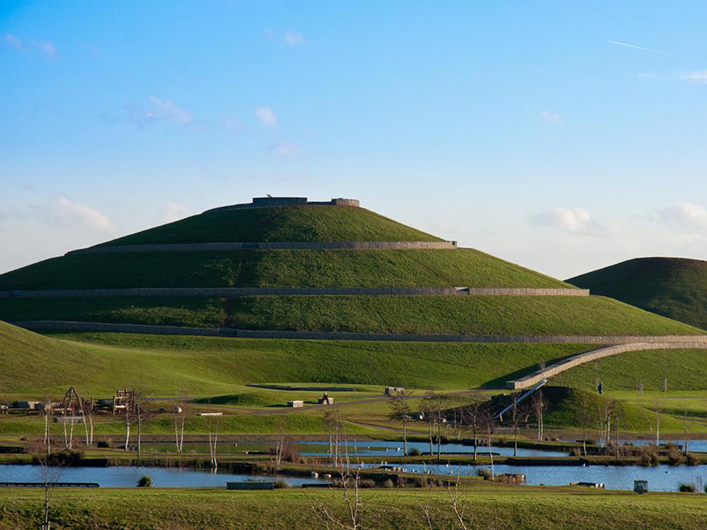
The Northala Fields regeneration project for the London Borough of Ealing saw consultant Peter Brett Associates and contractor Stantec (https://www.stantec.com/uk) contribute to the successful delivery of a complex earthworks and landscape transformation using 12d Model.

Northala Fields occupies some 18.5 ha in the Northolt area of the London Borough of Ealing (LBE) and is at the heart, both physically and strategically, of the larger development of the Northolt and Greenford Countryside Park (an area of over 100 ha). The site has long been recognised as the central component, connecting the surrounding areas, facilities and features for the community, and as such the LBE wished to develop the area using a very creative solution.

In order to achieve the vision for Northala Fields, it was proposed that the development generate its own funding, through the importation onto site of a substantial volume of select quality fill (approximately 500,000 cubic metres).

The new landform created by this importation would then enable a number of other development goals for the site to be achieved, including:
• a series of separate lakes of different depths for fishing and model sail boats
• an ecological area to the south of the site which will also form part of the Northolt Golf Club extension
• modifications to Northolt Golf Club
• improved sporting facilities (hard surface area for basketball, football wall etc)
• a children’s playground
• seats and picnic tables throughout the park in key locations
• car parking areas
• a footbridge across Kensington Road
• a grassed amphitheatre.

Consulting engineering firm Peter Brett Associates was approached to provide the necessary geo-technical and earthworks engineering information for the project. It was quickly decided that due to the size and complexity of the project, 12d Model software would be a definite advantage as it allows quick and accurate surface modelling, volume calculations and high quality output of both engineering drawings, as well as 3D public display images.

Given the extremely tight deadline for the project, without the support of 12d Solutions the project would not have been the success that it has become.
Download this Case Study as a PDF HERE
History Files: Bunbury Trotting Complex Upgrade – Thompson McRobert Edgeloe (TME) – now WSP

What began as a $1.36 million redevelopment became one of Australia’s most impressive harness racing facilities.

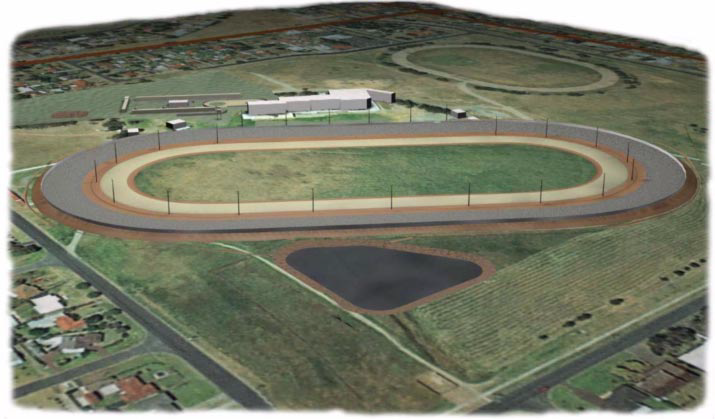
Led by Thompson McRobert Edgeloe (TME), the Bunbury Trotting Complex in Western Australia was completely reimagined—from replacing the existing 800-metre track with a new 960-metre world-class circuit to modernising the entire precinct with new stables, public viewing areas, broadcast facilities, and upgraded lighting.

Designing a track capable of delivering fast, fair racing while reducing stress on horses required extensive research and precise engineering. Every aspect of the geometry—from spiral curves to transitions—was carefully optimised to create one of the fastest harness racing tracks in Australia.

Using 12d Model, the entire project was digitally modelled, allowing the team to refine complex geometry with confidence and provide contractors with highly accurate construction data to achieve an impressive 5 mm surface tolerance. The same model was also exported into 3D visualisation software, enabling realistic renders and animations that helped communicate the final vision before construction.

The success of the Bunbury redevelopment quickly led to further opportunities, with TME commissioned to design additional harness racing facilities across Western Australia and Victoria.

Perhaps the project’s greatest endorsement came from those who raced on it. As leading Bunbury trainer Andrew DeCampo simply put it:

“It’s brilliant, mate, absolutely brilliant!”

SMEC’s 6-Year 12d Model Macro Initiative: Innovation for Efficiency

What happens when a single improvement sparks years of innovation?

In this presentation, Josh Allison shares the remarkable journey of transforming one modified 12d Model macro into a powerful suite of more than 70 custom macros over six years at SMEC. What started as a small enhancement evolved into a solution that has been used over 153,000 times, delivering an estimated 26,000 hours of saved work and $1.86 million in productivity gains.

Whether you’re new to 12d Model macros or looking to expand automation across your team, this session offers practical insights into turning everyday tasks into lasting efficiency improvements.

Watch the full video to discover:

  • How one small macro evolved into a suite of 70+ automation tools.
  • Why a solid business case is essential for gaining support for innovation.
  • The importance of tracking measurable metrics to demonstrate success.
  • Practical ideas you can apply to introduce automation and improve workflows in your own organisation.

SPOT Training: Getting Started for Design – 12d Model 15

Getting started with 12d Model doesn’t have to be overwhelming. Whether you’re new to civil design or looking to build a strong foundation in industry-leading software, this self-paced online course provides a structured learning experience that fits around your schedule. With expert-led training, practical exercises, and professional certification, you’ll gain the confidence and skills needed to begin your journey in civil design.

This Self-Paced Online Training course features 3 hours of on-demand video content, allowing you to learn whenever it suits you. The course is designed to help beginners understand the fundamentals of 12d Model 15 through a simple road design project, while introducing key terminology and essential design workflows.

As a part of your course, you will access:

– 12d Model 15 Software licence for 6 months, and data
– Preliminary 12d Model 15 Fundamentals Course
– 32 Online video lessons
– Practical and engaging quizzes
– Certificate of Completion
– 12 months’ access to the SPOT video lessons

To get the most from the course, here are the requirements you will need to meet:

– Dual monitors are recommended (follow the videos on one and do the course work on the other)
– Alternatively, use a second computer
– Internet Connection
– 12d Model v15 (will be supplied for free)
– 12d Model v15 installation Document (will be supplied for free)

Designed specifically for those who are new to 12d Model 15, this course provides a practical introduction to civil design concepts and software workflows. Whether you’re looking to launch a career in civil engineering or enhance your existing skills, this course offers a flexible and professional pathway to becoming proficient in one of the industry’s leading design platforms.

Enroll for free today: Civil and Surveying Institute. Self-Paced: Getting Started for Design – 12d Model 15

The Tipster: Managing Licence Usage

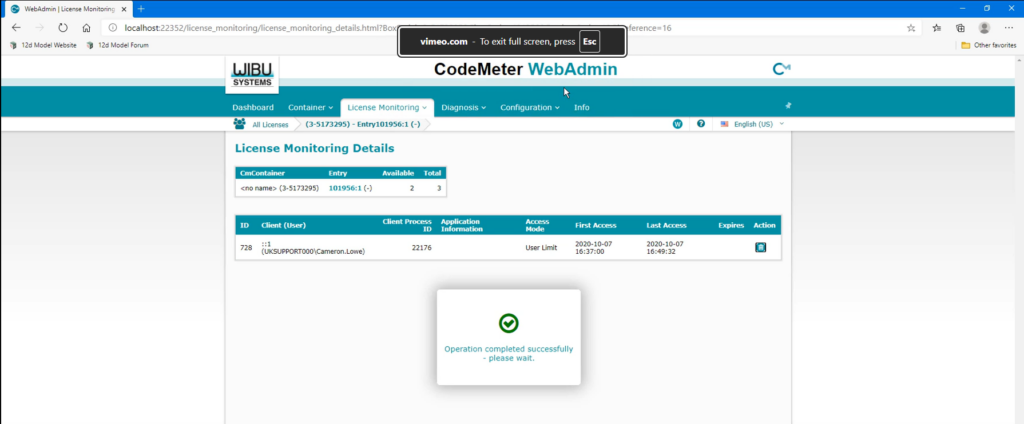
In this short tutorial, we show you how to view and manage network licences using the CodeMeter WebAdmin service.

When multiple users access 12d Model through a shared network CodeMeter, it is useful to view which licences are currently being used and see the available licences across each licence container. CodeMeter WebAdmin provides an easy way to access this information, review active sessions, and manage user access when required.

This video also explores the Licence Monitoring tools to view licence summaries, check session details, and end a user’s access to a licence from the server. It also explains what happens in 12d Model when a user’s licence session is ended.

Watch the full tutorial to learn how to view licence usage and manage active network licence sessions in CodeMeter WebAdmin.

SPOT Training: Fundamentals of 12d Model 15

The Civil and Surveying Institute (the largest and most experienced provider of authorised 12d Model training courses) offers a variety of training courses, in multiple formats. One of the most popular covers the Fundamentals of 12d Model 15. It’s a must-have training option for all those seeking to begin their journey with 12d Model software.

And the best part? It’s free to enrol.

This Self-Paced Online Training course includes two hours of on-demand video training, allowing you to learn at your own pace with structured guidance.

As a part of the course, trainees access:

– 12d Model Software licence for two months, and data

– 13 Online video lessons

– Practical and engaging quizzes

– Certificate of Completion

– 12 months’ access to the SPOT video lessons

This course is designed for those who haven’t used 12d Model 15 before, or have only been using it for a short time. The Fundamentals course teaches you to navigate 12d Model 15, some of the key terminology, and how to view and create data.

In this course: 

  • We will cover creating a new project and how to navigate the workspace using the menus, toolbars, and views.  
  • We will demonstrate how to create and import data, then create surfaces from that data, and use each of the Plan, Section, and Perspective views to assess that data. 

Enrol for Free Today: https://www.civilandsurveying.com/12d-model-fundamentals

The Tipster: Certifying CodeMeters

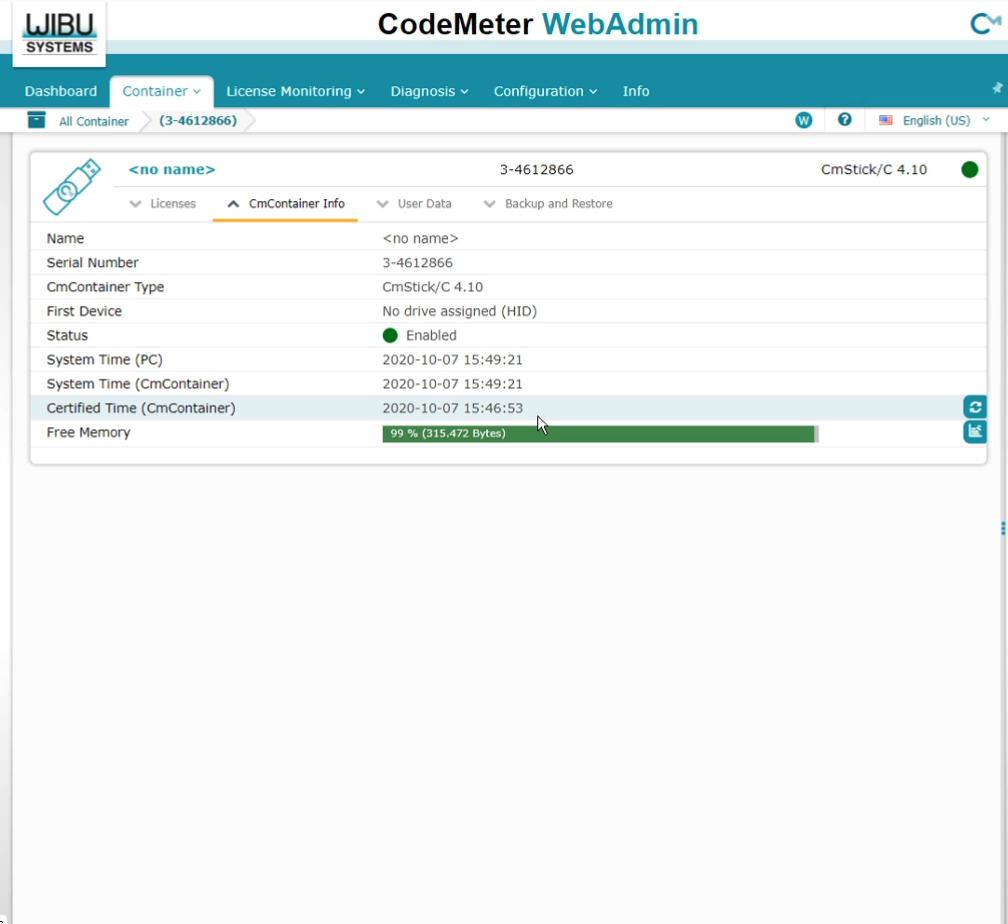
In this video, we walk through how CodeMeter certification works, how to check a CodeMeter’s certification status, and the options available for both automatic and manual certification.

Keeping your 12d Model licenses certified is essential to ensuring uninterrupted access to your software, especially for users who regularly work in the field or in locations with limited internet connectivity.

Whether you’re managing a single dongle or multiple CodeMeters across your organisation, this guide will help you stay compliant and avoid unexpected licensing disruptions.

Watch the video here:

History Files: Aussie, Aussie, Aussie

The Sydney 2000 Olympic Games (https://www.olympic.org/sydney-2000) showcased world-class sporting infrastructure and engineering excellence, delivering a landmark event that set new standards for venue design, construction, and urban development in New South Wales, Australia.

They were “the best Games ever”, and it is fitting that Australian-developed software played a key role in the construction of many of the venues and infrastructure which contributed to the success of the much-lauded Sydney 2000 Olympics.

The pressure was on to create a series of world-class venues in time for the illustrious event. Many companies were involved.

4d Model, now known as 12d Model, was used by principal consultants and contractors such as Abigroup, Connell Wagner, Walter Construction Group, Sinclair Knight Merz, SMEC (Snowy Mountains Engineering Corporation) and Daracon Engineering for the construction of the Athletics Centre, Hockey Centre, Newington Olympic Village, the Regatta Centre – Penrith, Stadium Australia, the SuperDome, the Tennis Centre, the Sydney Showground and the Velodrome – Bankstown.

The software also was used for:
– the Homebush Bay Infrastructure which included the main boulevarde and major roads;
– all of the inground services – water, power, communications, gas – associated with putting that infrastructure into place;
– the northern water feature, Fig Grove;
– the central water feature, Homebush Bay;
– the Archery Marker and Bennelong Road intersection;
– pedestrian bridges, paved areas and light towers.

For one of the major facilities, the fully covered Sydney SuperDome built by civil construction giant, Abigroup Contractors, 12d Model ensured on-site quality assurance checking of all steps in the construction of Australia’s largest indoor sports and entertainment centre. Architectural and engineering service models were fed on-site into a 12d Model to ensure construction of the arena went according to plan.

“12d Model has proved to be an excellent tool for handling extremely large project models,” said a spokesperson for Abigroup.

Download this Case Study as a PDF HERE

Building the Future at the 12d Tech Forum 2026

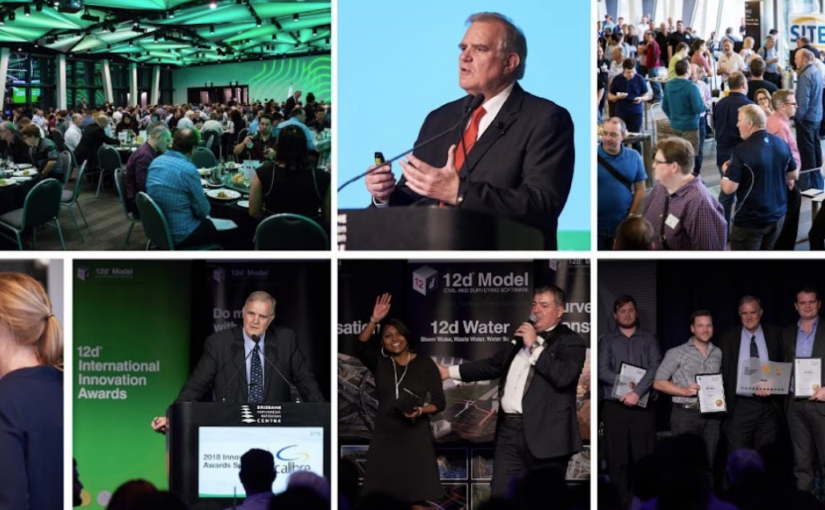
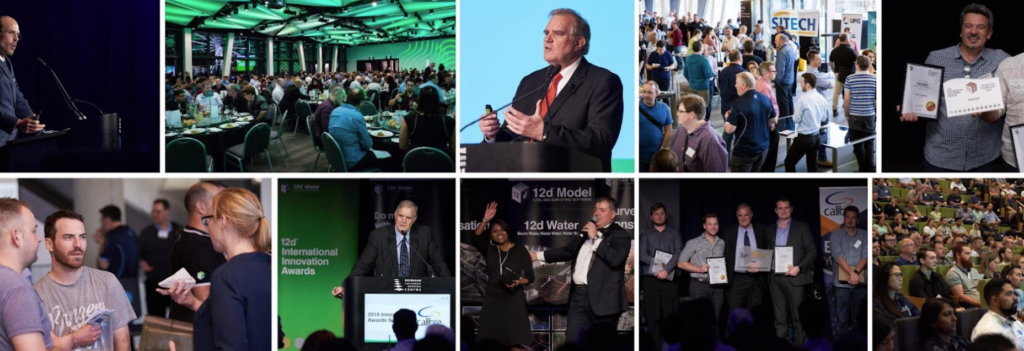
The theme of our 12d Tech Forum this time is ‘Building the Future’.

To us, this encapsulates the way in which we and our 12d Community work together to be on the cutting edge of technology as we help construct a better world.

For 21 years, the 12d Tech Forum has brought together the brightest minds in the AEC industry to share, learn, and push boundaries. This year, our theme – Building The Future – reflects where we stand as an industry: at the intersection of technology, collaboration, and transformation.

We chose this theme because the future isn’t something that simply arrives. It is built – deliberately, technically, and together. As digital workflows mature, project complexity grows, and industry expectations rise, the professionals in our community are the ones actively shaping what comes next.

Through this theme, we want every session, conversation, and connection at the 12d Tech Forum 2026 to reinforce one idea: that the tools we build, the processes we refine, and the relationships we form today are the foundation of tomorrow’s industry.

We’re not waiting for the future. We’re building it.

Register now: 12dtechforum.com

The Tipster: Referencing Specific Containers

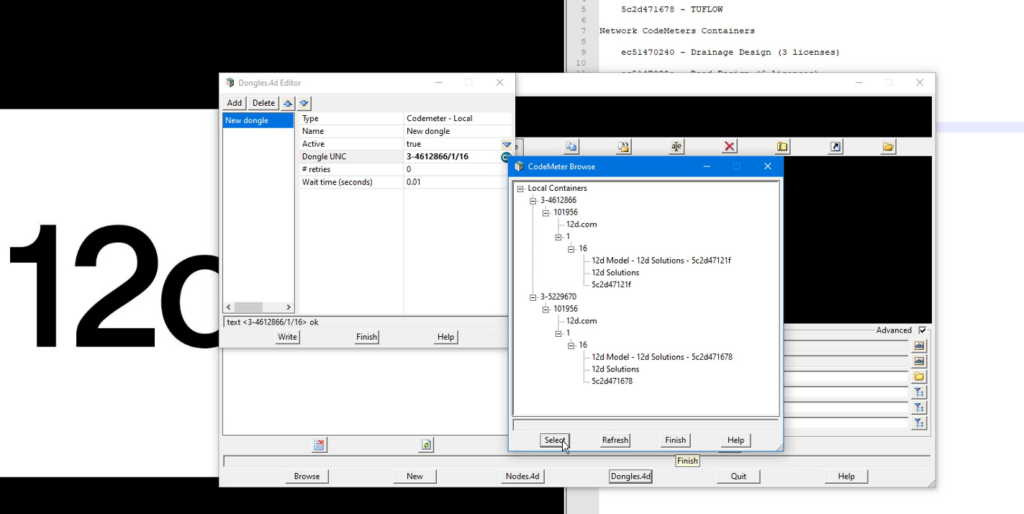
In this short tutorial, we explore how to reference specific license containers in 12d Model when multiple CodeMeter dongles or license configurations are available.

Different 12d Model tasks often require different modules, from surveying and drainage analysis to more advanced modelling workflows. As organisations grow and licensing requirements become more complex, it is common to have multiple standalone or network licenses configured for different purposes.

This video explains how 12d Model identifies and accesses specific license containers, helping ensure you are using the correct modules for the work you need to perform.

Watch the full tutorial to learn how to manage multiple license configurations and streamline access to the tools your projects require.